

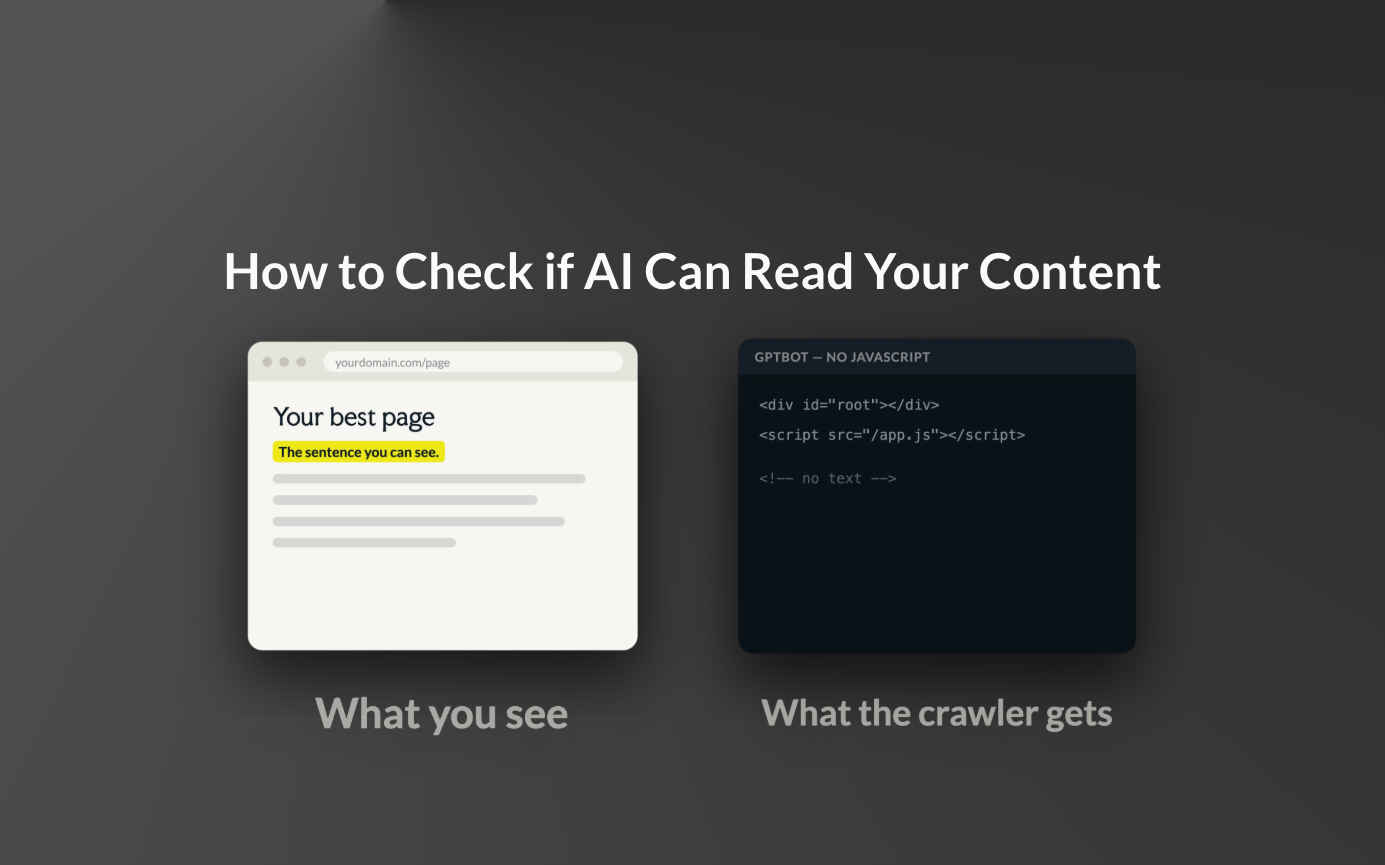
An AI crawler can visit your page and still leave with nothing. Most AI crawlers download the raw HTML and move on. They do not execute JavaScript. Vercel measured 569 million GPTBot requests in a single month and found no JavaScript execution at all, and ClaudeBot and PerplexityBot behaved the same way. If your text only appears after JavaScript runs, those crawlers see an empty shell. Google's Gemini is the exception, because it uses Googlebot's rendering infrastructure.
Here are three checks, from fastest to most thorough.
Check 1: view the page source
Open your most important page, press Cmd+U (Ctrl+U on Windows), and search the source for a sentence you can see on the page. If the sentence is in the source, AI can read it. If it is visible on the page and missing from the source, JavaScript renders it, and most AI crawlers never see it.
Check 2: turn JavaScript off
In Chrome DevTools, open Settings, tick Disable JavaScript, and reload the page. What you see now is roughly what an AI crawler gets. Empty sections, missing text and blank product lists are content that does not exist for AI.
Check 3: fetch it like a bot
No match means the content is not in the HTML.
What to do if you fail the check
The fix is to render content on the server instead of in the browser. In practice:
- Standard CMS sites (WordPress, Webflow, Shopify and similar) already output content as HTML and usually pass without changes.
- React, Vue and other single-page apps need server-side rendering (Next.js, Nuxt) or prerendering for the pages that matter: blog posts, landing pages, comparison pages.
- Content hidden behind "load more" buttons or infinite scroll needs a crawlable version.
Start with the pages you want cited in AI answers. Their full text has to be in the HTML, because a page AI cannot read is a page it cites from your competitor instead.
